







Why Anime-Style AI Portraits Are Taking Over Social Feeds
Anime-style portraits have become one of the most visible forms of AI-assisted image creation on social media. A regular selfie can be transformed into a colorful illustrated portrait with expressive eyes, clean lines, dramatic lighting, or a softer storybook mood. The process is fast enough for casual users, but the results can still feel personal and creative.
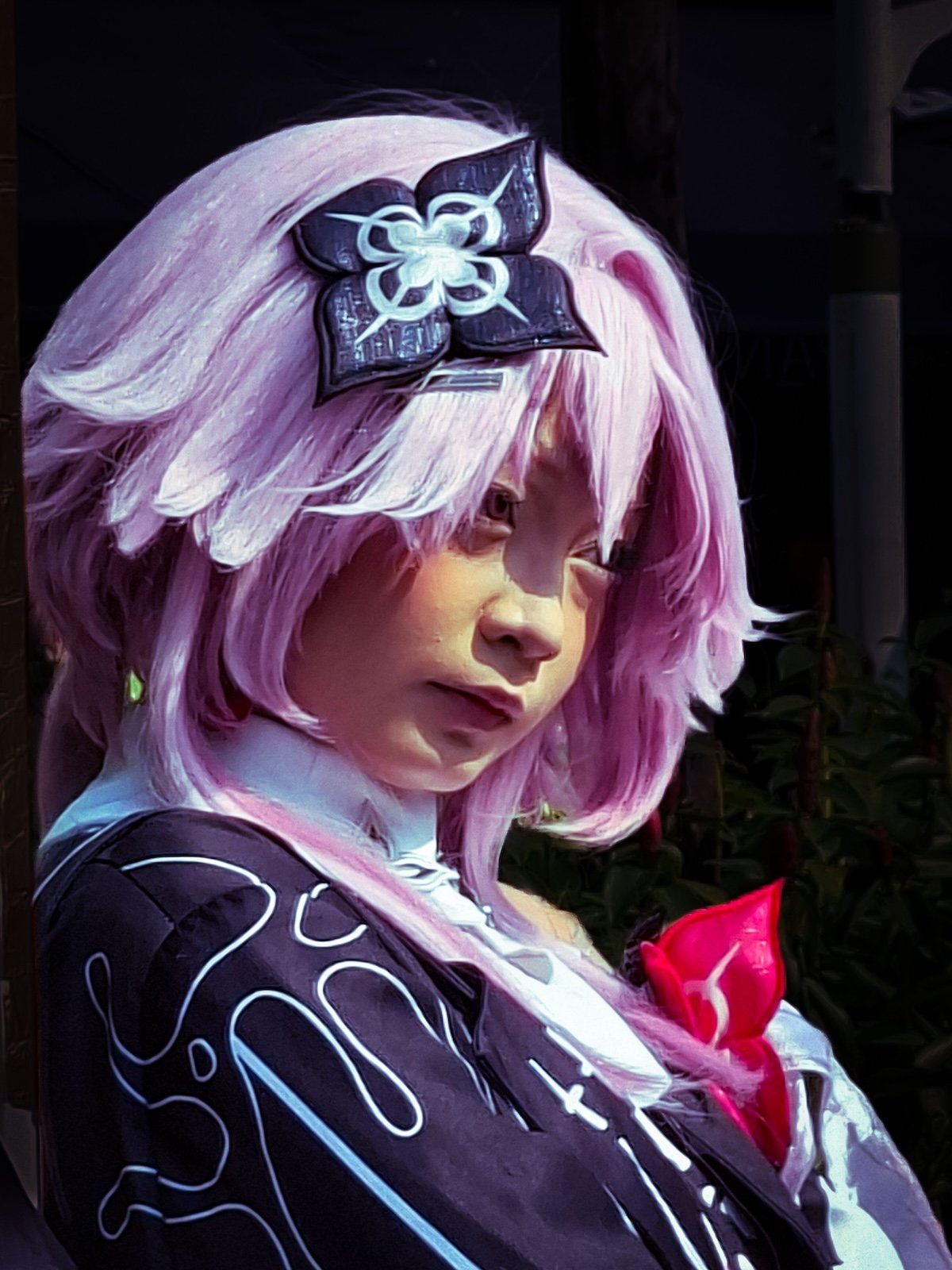 Photo by Ayu Ratnani: https://www.pexels.com/photo/cosplay-character-in-pink-wig-with-artistic-costume-39285061/
One reason for the trend is accessibility. People no longer need advanced drawing skills or professional software to experiment with a new visual identity. A creator can upload a suitable photo, describe a preferred mood, and use a best ai anime generator to explore different anime-inspired directions. The result can become a profile picture, a post, a story cover, or part of a larger visual project.
The popularity of these portraits is not only about novelty. They combine self-expression, community participation, and easy sharing. Users can create an image that feels connected to anime culture while still reflecting their own face, clothing, location, or personality.
Why People Like Illustrated Versions of Themselves
A portrait is more than a record of appearance. It can also show how someone wants to be seen. An anime-style version may make a person look adventurous, calm, mysterious, playful, or heroic.
This gives users more room to experiment than a standard photograph. Someone who does not usually enjoy taking selfies may feel more comfortable sharing an illustrated version. The image can feel imaginative while still being recognizable.
Anime-inspired art also has a strong visual language. Large expressive eyes, simplified shapes, dramatic color, and clear silhouettes can make a portrait stand out in a busy social feed. When many posts compete for attention, a stylized image may encourage people to stop and look.
Social Profiles Need Fast Visual Updates
Social media profiles change frequently. Users update profile pictures for a new season, a personal milestone, a game release, or a community event. Creating a traditional illustrated portrait can take a long time, especially if the user needs several versions.
AI image tools make experimentation faster. A creator can try a brighter palette, a darker background, a different outfit color, or a new framing style without starting from a blank page.
This speed also makes it easier to keep a visual identity consistent. A creator may use similar colors and framing across profile photos, channel banners, and story graphics.
The Role of Personal Photos
The quality of the source image affects the result. A clear front-facing photo with even lighting usually gives the system more information than a dark, blurry, or heavily filtered selfie.
Before uploading, choose an image with:
- a visible face,
- reasonable lighting,
- limited motion blur,
- a clear subject,
- enough space around the head and shoulders,
- a background that does not hide important details.
A photo does not need to be professionally taken. It simply needs to provide enough visual information for the tool to understand the person’s basic features.
Group photos may be more difficult because the system needs to separate multiple faces. If the goal is a profile picture, a single-person image is usually easier to control.
Different Anime-Inspired Directions
Anime is a broad category. Creators can explore several visual directions without copying a specific studio, artist, or copyrighted character.
Possible approaches include:
- soft pastel colors,
- bold action lighting,
- modern city backgrounds,
- fantasy clothing,
- clean school-inspired settings,
- cyber-themed accents,
- warm slice-of-life moods,
- dramatic monochrome portraits.
The prompt or style description should focus on general qualities such as color, mood, lighting, and composition. This helps create an original result while avoiding a direct imitation of a recognizable creator’s work.
Profile Pictures and Avatars
The most common use is a profile image. A good avatar needs to remain recognizable when displayed at a small size.
For a profile picture, keep the face or central subject large enough to see. Avoid overly detailed backgrounds that become confusing when the image is reduced.
A strong avatar often uses:
- a clear head-and-shoulders crop,
- a simple background,
- high contrast around the face,
- a limited color palette,
- one distinctive visual detail.
The image should also work in both light and dark interface settings when possible.
Story Covers and Social Posts
Anime-style portraits can be used for more than profile pictures. They can introduce a travel story, mark a birthday post, support a music release, or create a visual theme for a series.
A creator might use several portraits with different moods:
- a relaxed image for a daily update,
- a more dramatic image for a personal announcement,
- a bright portrait for a celebration,
- a darker image for a late-night story.
Keep the person recognizable across the set. If every image changes the face, hair, and proportions, the audience may not understand that the portraits represent the same creator.
Using Backgrounds to Add Context
The background can communicate interests and personality. A café, city street, gaming setup, studio, or natural landscape may tell viewers something about the person before they read the caption.
However, the background should support the subject. A busy scene can compete with the face, especially when the portrait is used as a small thumbnail.
Choose a background that matches the intended mood and use depth or blur to keep attention on the person. If the background includes recognizable locations or other people, check whether it is appropriate to publish the image.
Consistency Across a Feed
A single stylized portrait may look attractive, but a group of related images can create a stronger social identity. Creators can use consistent:
- color temperature,
- crop style,
- lighting direction,
- background treatment,
- border or frame,
- level of detail.
Consistency does not mean every portrait must be identical. Small changes can make a feed feel alive while maintaining a recognizable visual language.
It is helpful to review images together before publishing. A portrait that looks balanced on its own may feel too bright or too dark next to other posts.
Editing After Generation
AI output is often a first version. Basic editing can improve the final result.
Useful adjustments include:
- cropping,
- brightness,
- contrast,
- saturation,
- background blur,
- sharpening,
- adding a simple border,
- placing text outside the face area.
Avoid changing facial details so much that the image stops looking like the person. The purpose of a portrait is usually to combine stylization with recognition.
If the image will be used on several platforms, export versions at the correct sizes rather than relying on one crop for every placement.
Avoiding Unnatural Results
AI portraits can sometimes create inconsistent eyes, hands, jewelry, hair, or clothing. These issues may be less visible at first glance but become obvious when the image is enlarged.
Check:
- eye alignment,
- teeth and mouth shape,
- ears,
- fingers,
- glasses,
- earrings,
- hair edges,
- clothing patterns.
If a detail looks wrong, try a different source image or a simpler composition. Reducing the number of complicated accessories can also improve consistency.
Privacy and Consent
A face is personal information. Before uploading a portrait to an online tool, review how the service handles images and whether files are stored or used for other purposes.
Do not upload another person’s photo without permission. This is particularly important for children, private events, customers, and group images.
If a portrait includes other people in the background, crop them out or obtain appropriate consent before publishing.
Copyright and Style Boundaries
Anime-inspired does not mean copying a specific copyrighted character or artist. Creators should avoid asking for an exact imitation of a living artist’s style or using protected characters in a way that suggests official approval.
A safer approach is to describe visual qualities:
- clean line art,
- soft cel shading,
- warm evening colors,
- expressive face,
- fantasy-inspired clothing,
- dramatic rim lighting.
When a portrait is used for commercial work, confirm that the image and any included assets are suitable for the intended use.
Authenticity on Social Media
Stylized portraits are naturally edited, so audiences generally understand that they are creative interpretations. Problems arise when an altered image is presented as an unedited record or used to support a misleading claim.
For personal posts, a simple caption can explain that the image is AI-assisted or anime-inspired. For brand campaigns, disclose the production method when platform rules or local advertising standards require it.
Transparency can make the creative process more interesting rather than reducing its appeal.
A Simple Creation Workflow
A practical workflow looks like this:
- Choose a clear source photo.
- Decide the mood and purpose.
- Select a general anime-inspired direction.
- Generate several variations.
- Compare face, lighting, and background consistency.
- Choose the strongest version.
- Make light manual adjustments.
- Crop it for the intended platform.
- Check privacy and usage rights.
- Publish with a clear caption.
This process keeps the focus on communication instead of endless experimentation.
Why the Trend May Continue
Anime-style AI portraits combine several social media behaviors: self-expression, visual novelty, fast creation, and community participation. People can respond to a trend while still adding personal details through clothing, colors, backgrounds, and captions.
The format is also flexible. It works for private profile images, creator branding, fan communities, event promotion, and casual sharing. As tools become easier to use, more people may treat illustrated portraits as a normal part of their online identity.
Final Thoughts
Anime-style AI portraits are popular because they make self-expression simple and visually distinctive. They allow users to explore a new version of themselves without needing advanced drawing or editing skills.
The strongest results come from clear source photos, thoughtful style choices, moderate editing, and respect for privacy and rights. A good portrait should remain recognizable, fit the platform where it will appear, and communicate a mood that feels connected to the person behind it.
Used responsibly, AI portrait tools can turn an ordinary selfie into a creative social asset while leaving room for personal choices and original expression.